
Appearance
Using FTP to manage your files
FTP (File Transfer Protocol) is a standard network protocol used to transfer files from one host to another over a TCP-based network, such as the Internet. You can use FTP to upload and download files to and from your hosting space.
FTP Details
Hostname: ftpupload.net (Port 21)
Username: your space username
Password: your space password
SSL/TLS: Available
FTP Client Configuration
We recommend using FileZilla. You can configure it like this: 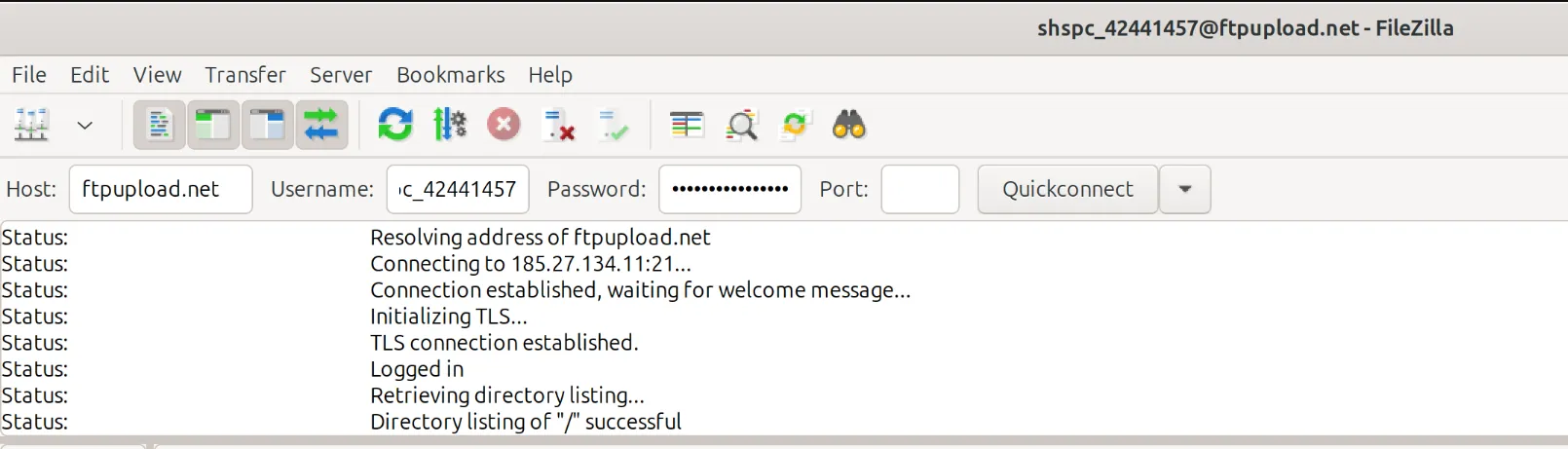
INFO
You may use any FTP client of your choice, but we recommend FileZilla for its ease of use and reliability.
Managing Files
- Choose your domain.
- For your main domain, select "htdocs"
- For addon domains/subdomains added later, select the folder with the domain name and select "htdocs"
- Upload or edit your files.
- Default index pages are
index.php index.html index.htm index2.htmlWARNING
Make sure you are in a "htdocs" folder when uploading your files. If you upload your files to the wrong folder, your website will not work.
- Default index pages are