Appearance
Free Premium/Pro Plugins
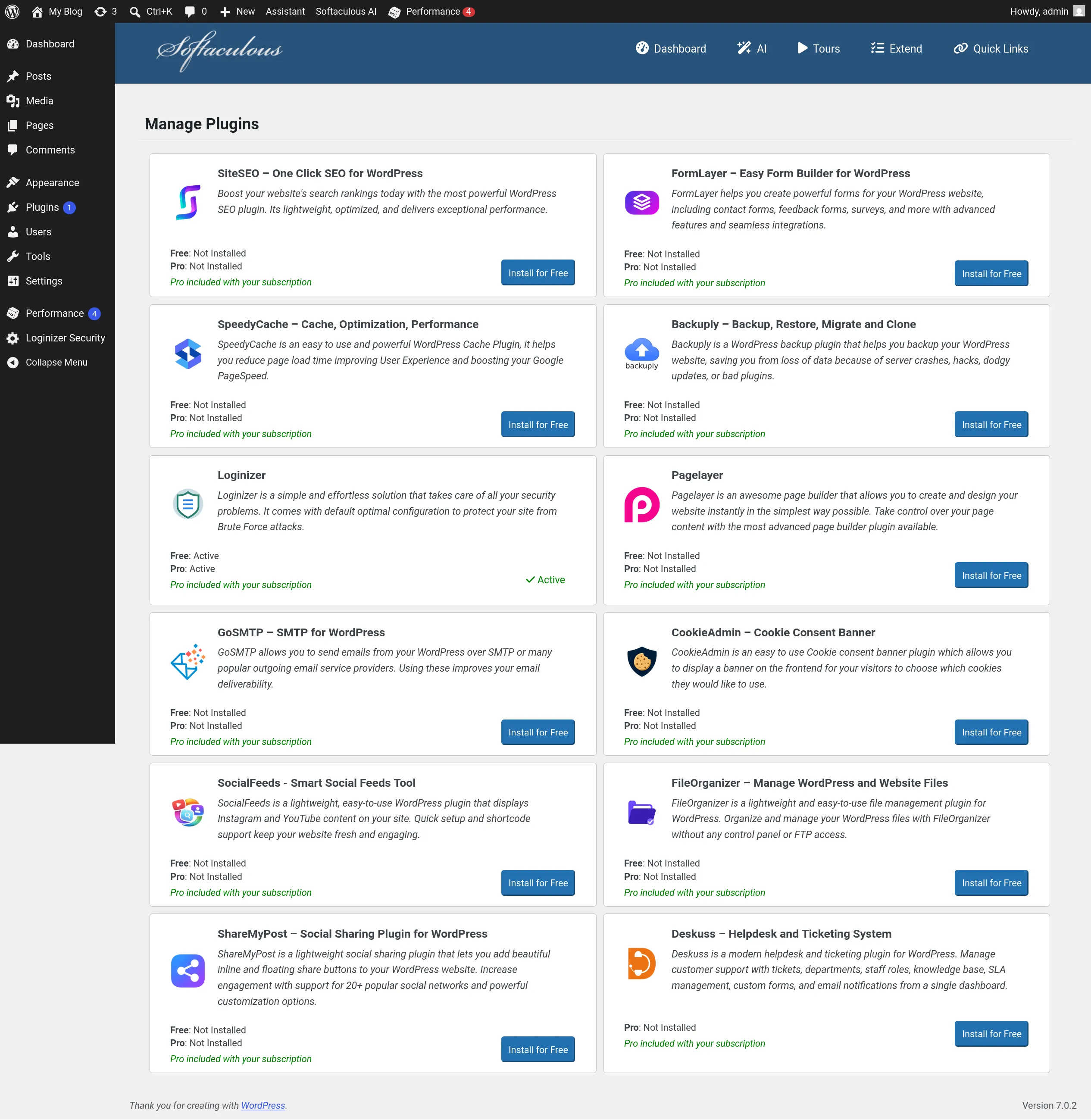
Spookhost provides all users with the premium/pro version some essential plugins to help you get started with your WordPress website.
Included Plugins
The premium/pro version of the following plugins are included for free:
- Loginizer - WordPress security hardening
- Pagelayer - WordPress Site Builder
- Includes PopularFX Pro (Pagelayer templates provider)
- See Using the Pagelayer Site Builder for more details
- SpeedyCache - Caching and performance optimizations
- Backuply - Easy WordPress backup
- GoSMTP - Easy WordPress Email SMTP
- See Send Emails using SMTP for more details
- CookieAdmin - Cookie acceptance popup for legal compliance
- FileOranizer - Online File Manager in WordPress
- SocialFeeds - Smart Social Feeds Tool
- ShareMyPost - Social Sharing Plugin
- Deskuss - Help desk and ticket plugin
- FormLayer - Easy Form Builder
WARNING
You can only use these plugins on Spookhost's infrastructure, you are not allowed to use it elsewhere.
Installing Loginizer Pro
Scenario 1: You have not installed WordPress yet
Please follow our Installing WordPress guide to see how to install Loginizer Pro together when you install WordPress
Scenario 2: You have already installed WordPress
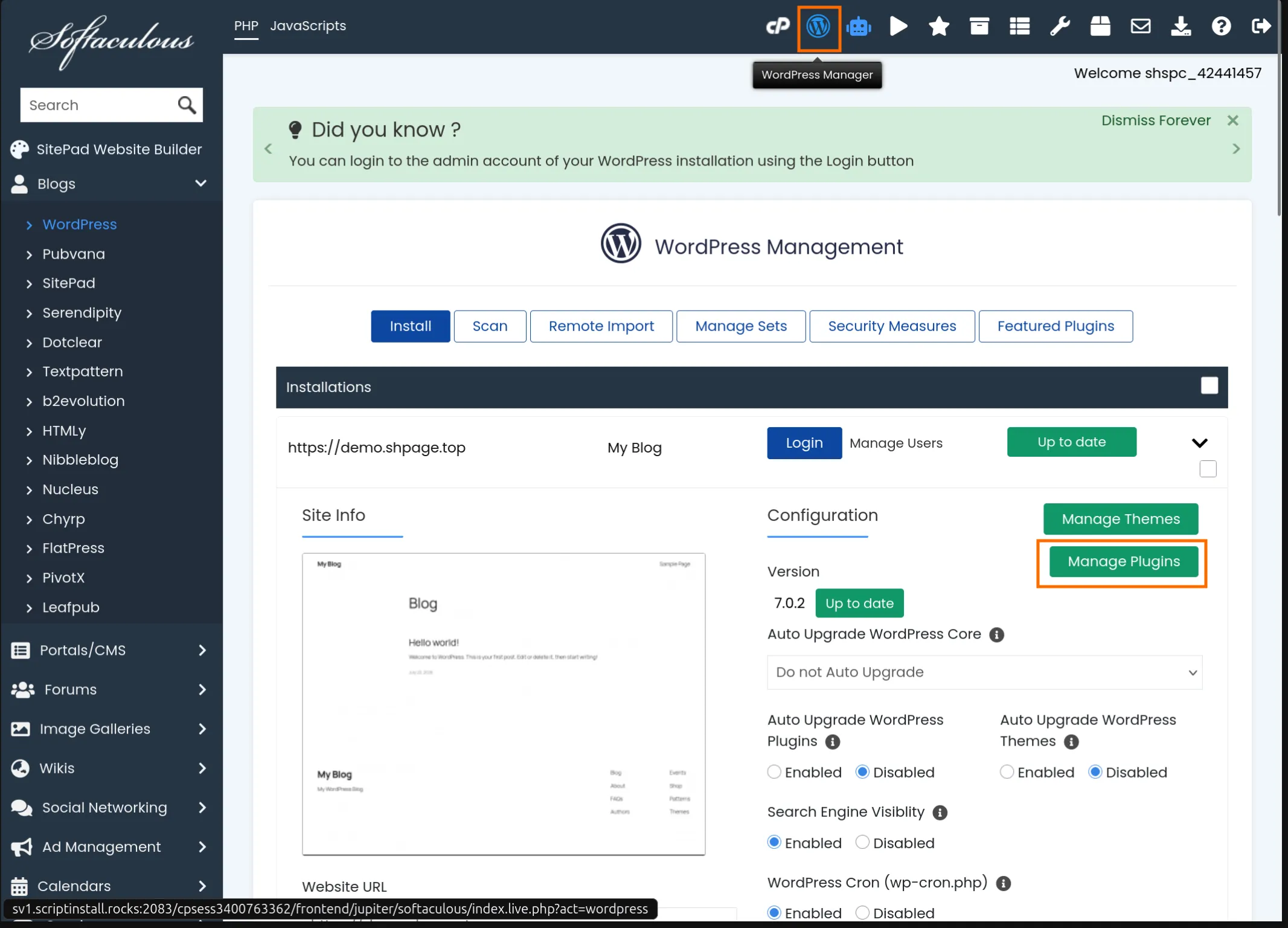
Open the Softaculous Installer and select WordPress Manager at the top and select Manage Plugins
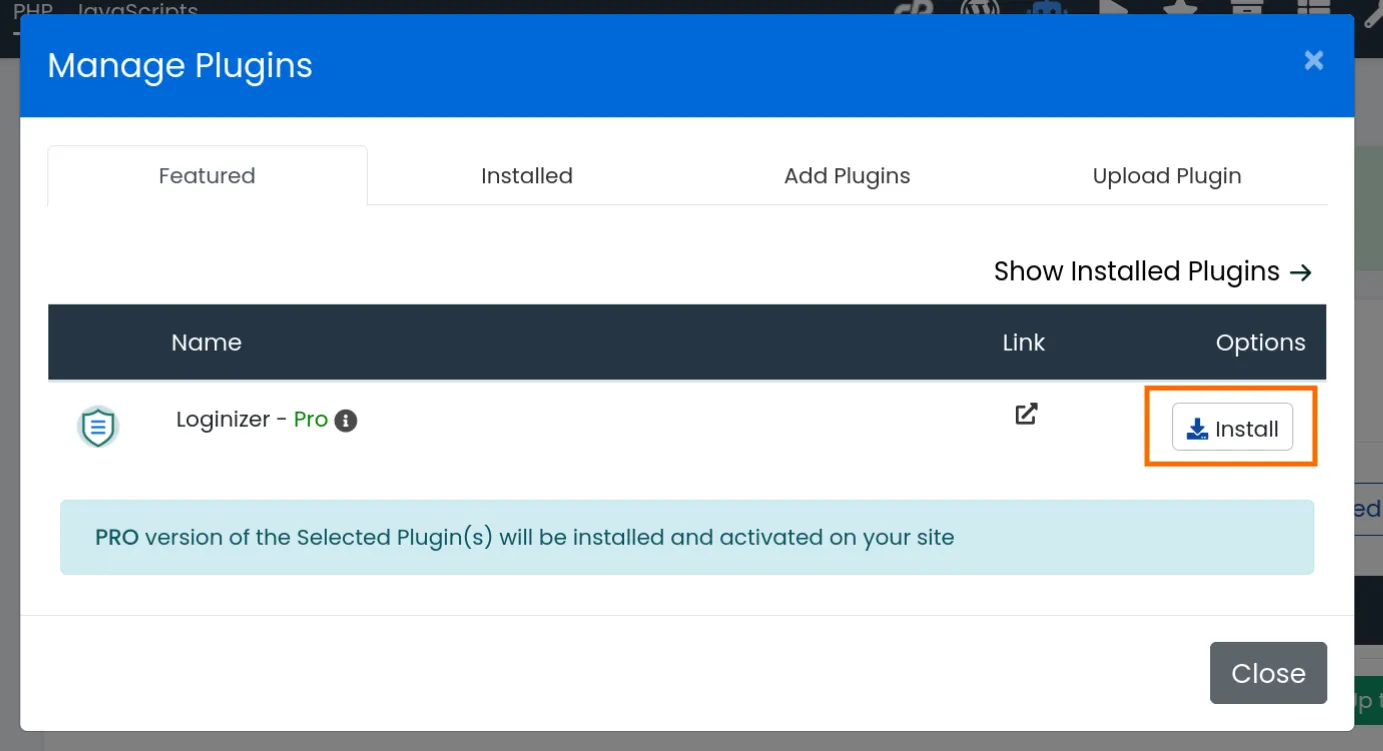
Click install
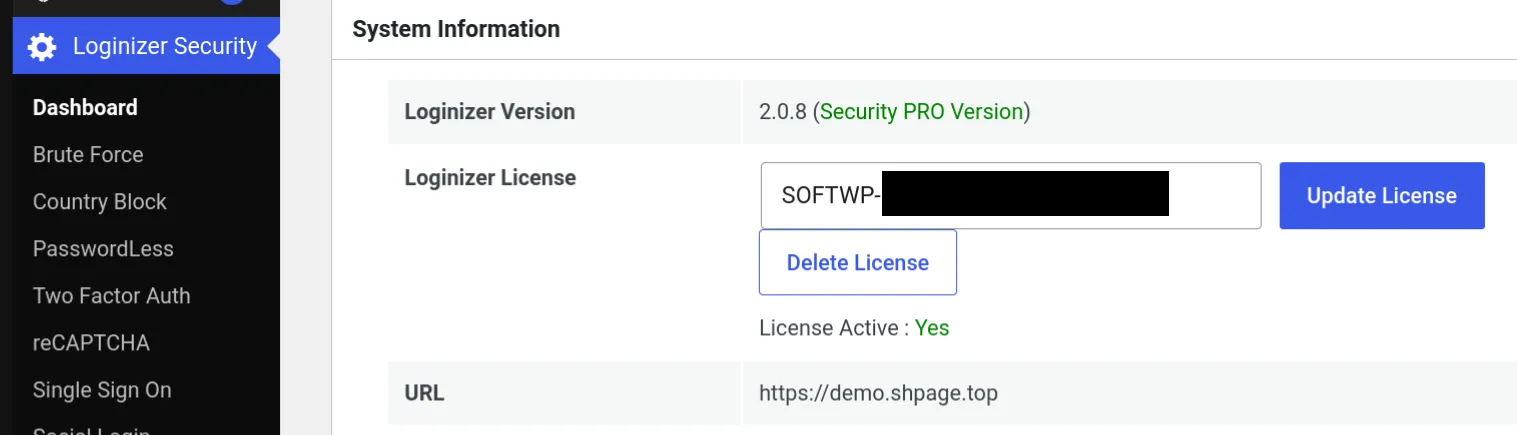
Loginizer Pro is successfully installed
Installing other Premium Plugins
INFO
Please make sure that you have Loginizer Pro correctly installed before following the guide below. You will need Loginizer Pro to activate other premium plugins. You may delete Loginizer Pro after the activation at your own choice.
Install the SoftWP plugin
Download the SoftWP plugin zip file by clicking here.
Install the SoftWP plugin
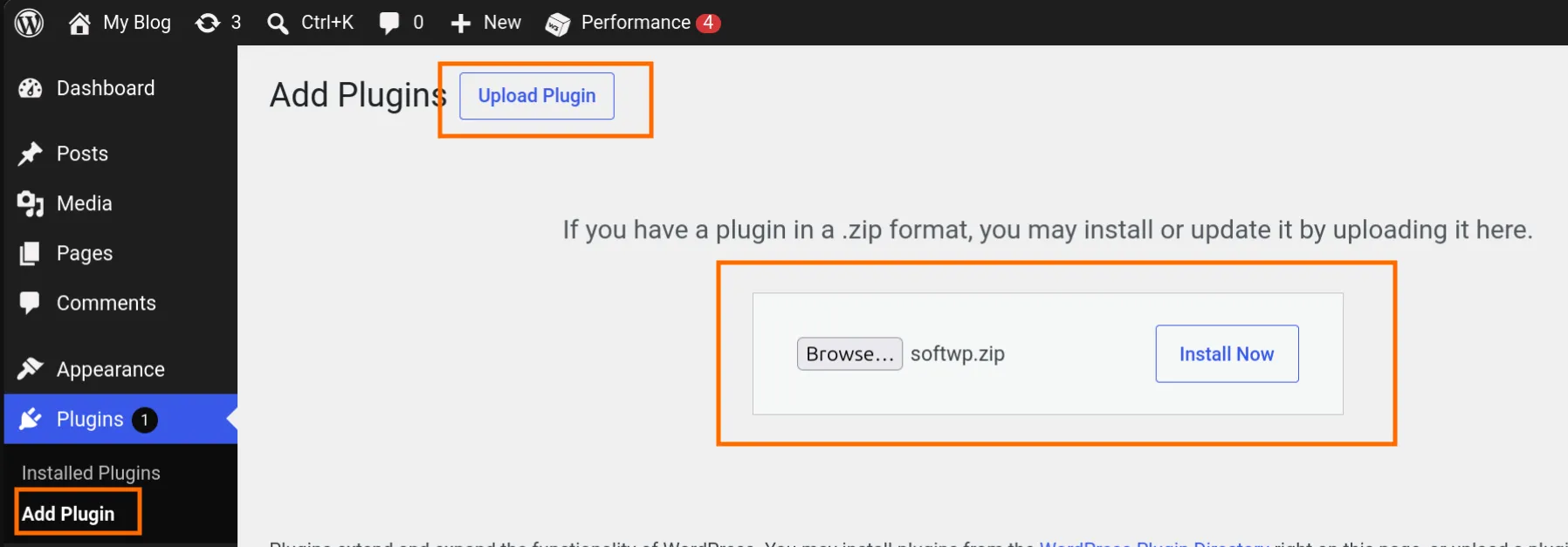
Activate the SoftWP plugin
You may complete the SoftWP onboarding or skip it
Make sure that the SoftWP license is active
INFO
If your SoftWP is unlicensed, please install Loginizer Pro first. After you verify that SoftWP license is active, you may delete Loginizer if you do not need it.
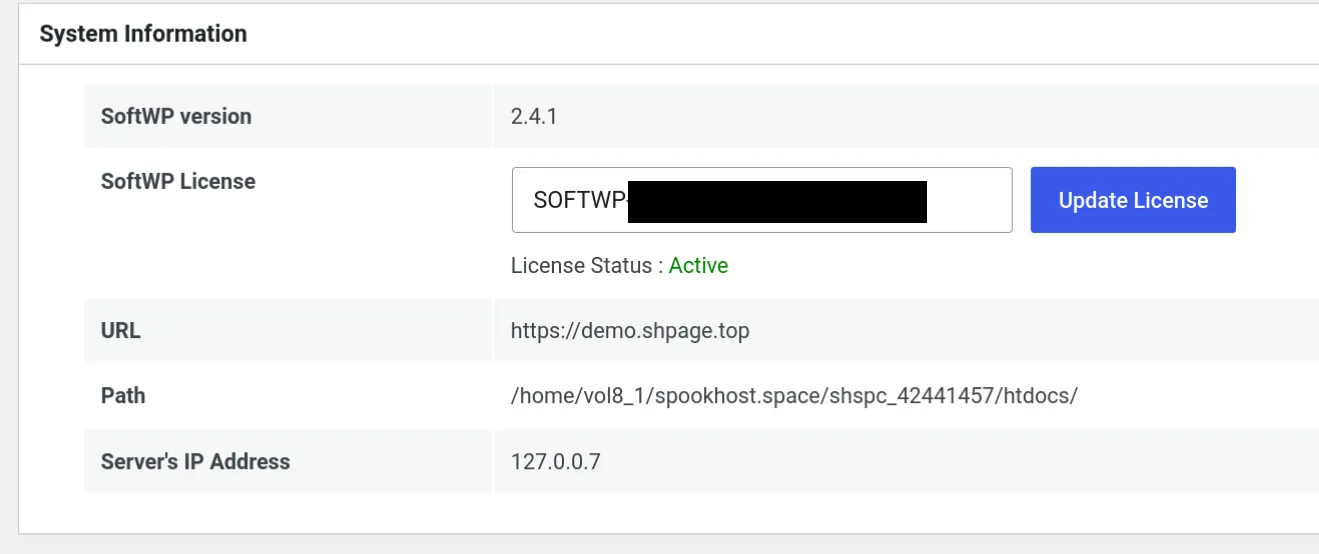
Go to the Premium Plugins list
Go to Assistant, and “Show More” in recommended features
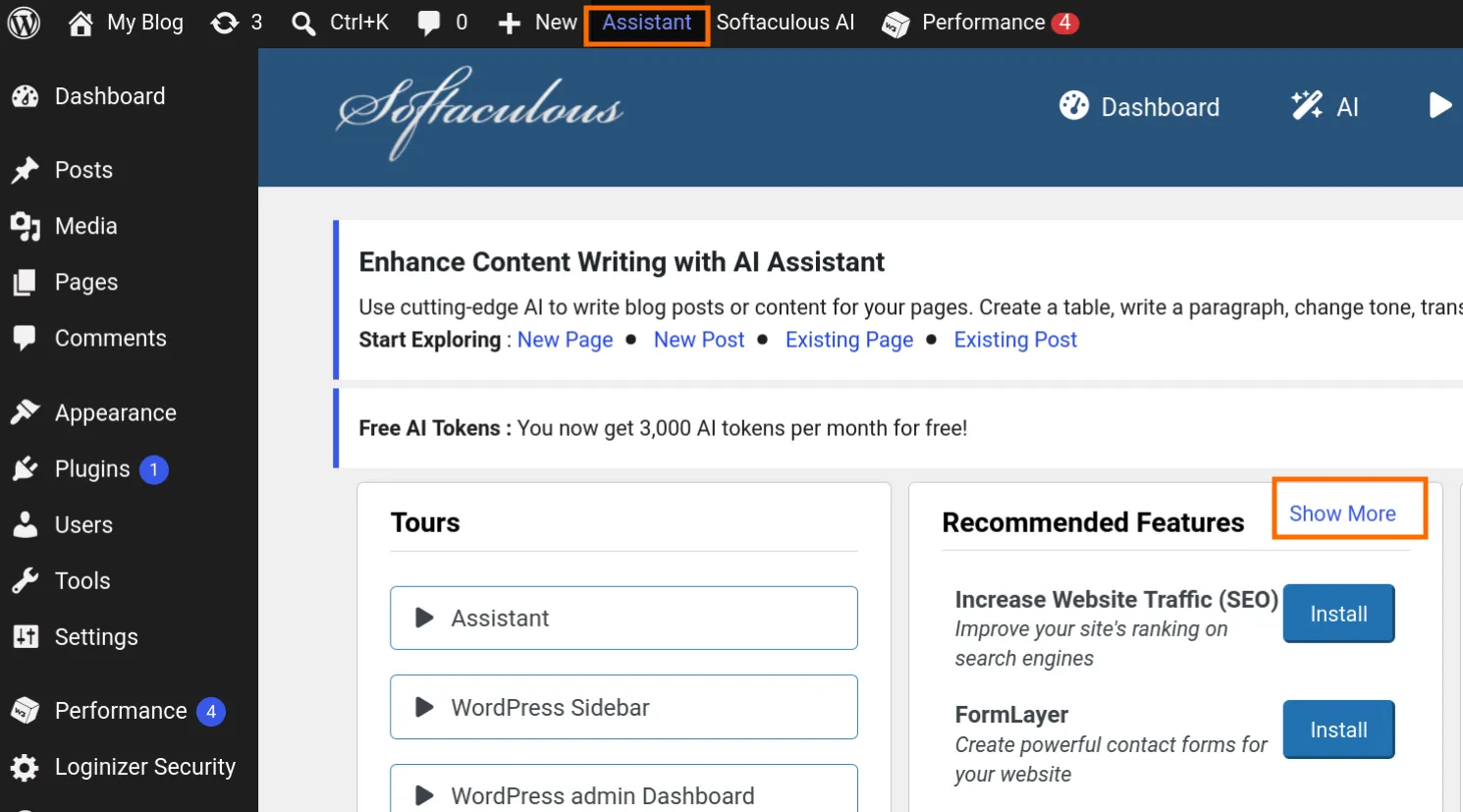
Install the Premium Plugins as you need
INFO
Only install the plugins you need, too many plugins will make your site load slow.
We do not recommend installing backup or caching plugins due to limited server power.